
Guide to Filing Complaints via the Perak e-Aduan System
Since many parties send complaints to us to be forwarded to the relevant authorities to rectify any enforcement failures overlooked by certain departments, we feel compelled to share how you can submit your complaints to the appropriate parties using the Perak State e-Aduan system.
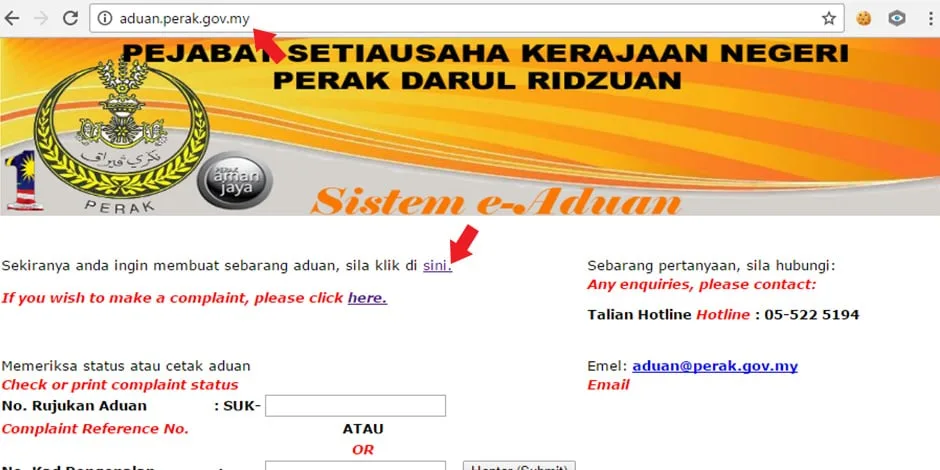
If you have any complaints to channel to the appropriate authorities and have internet access, the first thing you should do is head directly to the Perak e-Aduan system website at URL http://aduan.perak.gov.my and then click on the section "If you wish to make any complaints, please click here" as shown in the image above. Another screen will appear after you click that link.
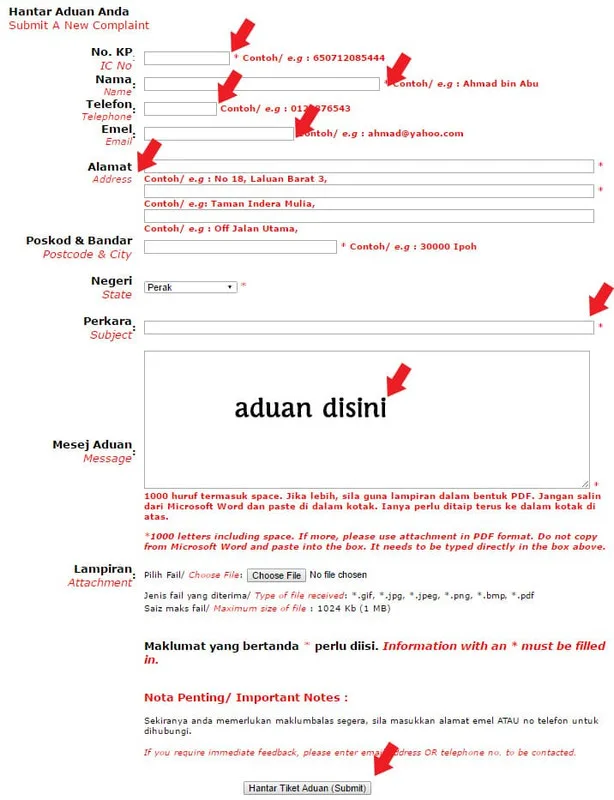
A complaint form similar to the diagram above will be displayed in your browser. You are required to fill in personal information such as your full name, identity card number, phone number, email address, home address, and details regarding the complaint. In the complaint section of this form, there is a subject field to serve as the title for your complaint, a message field for you to draft the details of your complaint, and finally, an attachment section for you to upload photos related to the complaint if any. Once you have finished filling out the complaint form, you can proceed to click Submit Complaint Ticket for further action.
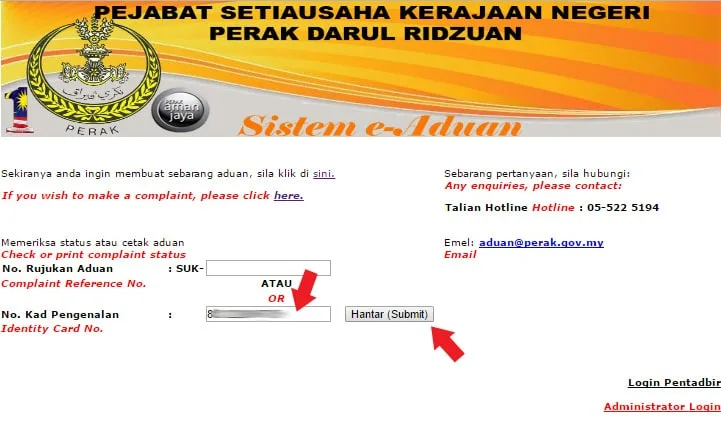
Usually, the party reviewing the complaint will take 1 to 7 working days. If your complaint requires a quick response, it is better to call 05-522 5194 for a faster response. You can always check the status of your complaint by entering your identity card number in the status check or print complaint section. Enter your identity card number and then click submit to find out the status of your complaint.
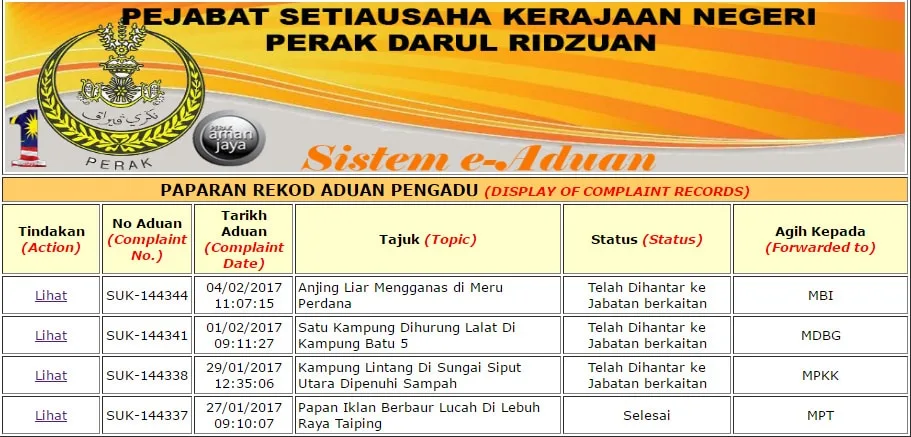
A display of all complaint records will be shown on the page after your identity card number is entered into the Perak e-Aduan system. The party reviewing your complaint will coordinate with the relevant department, and the complaint status will be displayed and updated from time to time according to the progress of the case handled by the responsible authorities. From what we observe, not many people use this e-Aduan system because the complaint serial numbers do not vary much even though the dates are far apart. We understand that some may not be tech-savvy, let alone familiar with the e-Aduan system, and we are always open to receiving your complaints and will help you submit and relay them to the appropriate parties. If you have any complaints, you can send them to 014 605 0005.


